
SubWorkflow
Description
Section titled “Description”The SubWorkflow module allows executing another workflow as a sub-process within the current flow. It supports three execution modes: synchronous (waits for the result before continuing), asynchronous (launches and continues without waiting), and parallel (executes multiple instances if the input is an array). It can inherit the parent workflow state (workflowState) to share context between flows. Each execution generates a child instance with complete traceability, recording the parent-child relationship in the database. It is ideal for reusing workflow logic, splitting complex flows into manageable sub-processes, or executing batch operations.
In the editor
Section titled “In the editor”The Sub Workflow node is designed to be understood at a glance, without opening the child flow to see what it points to.
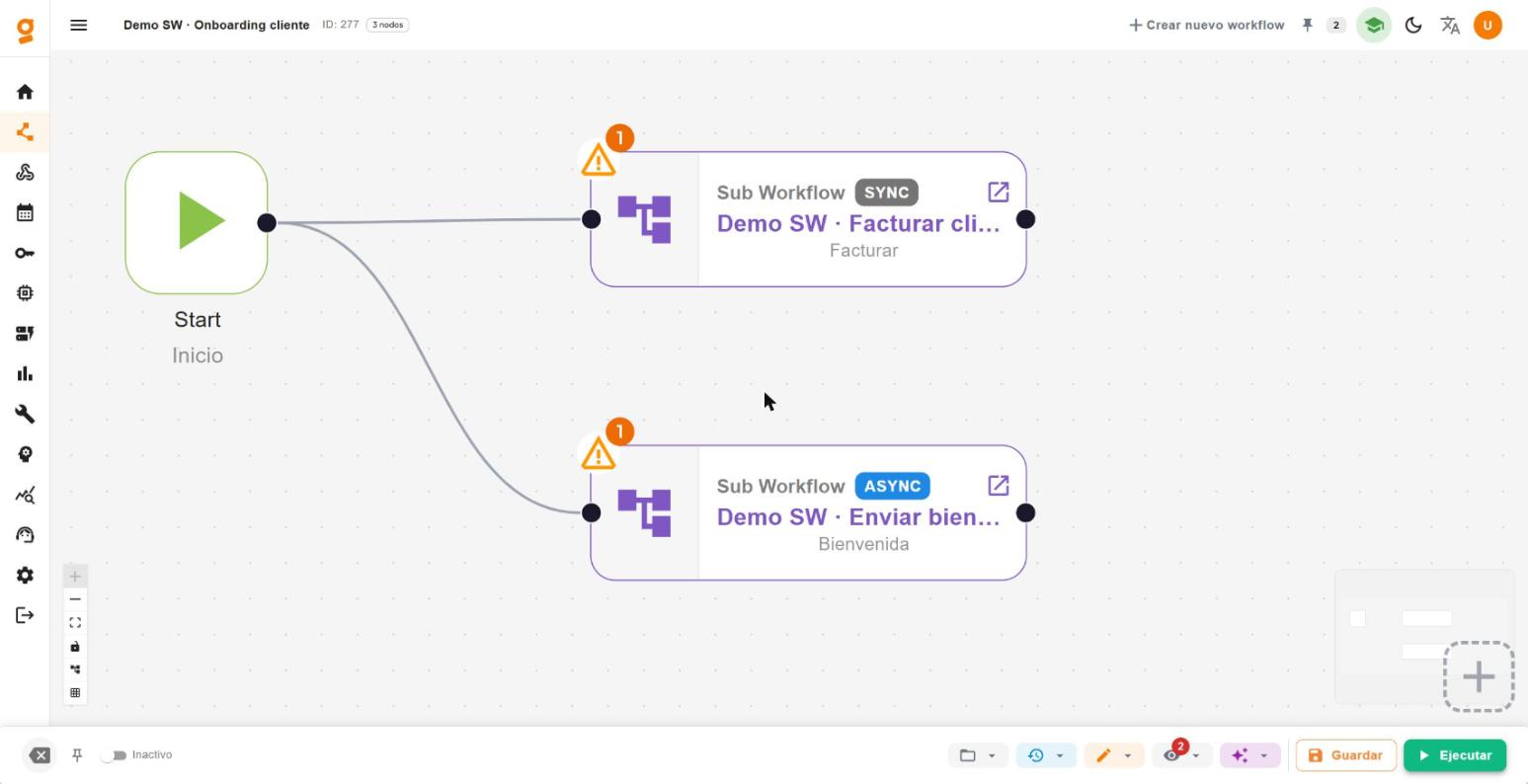
On the canvas the node is rectangular: the icon on the left and, on the right, a band with the type, the execution mode (sync / async / parallel), the child workflow name and an ↗ link to open it in a new tab. The validation alert stays on the left, out of the way.
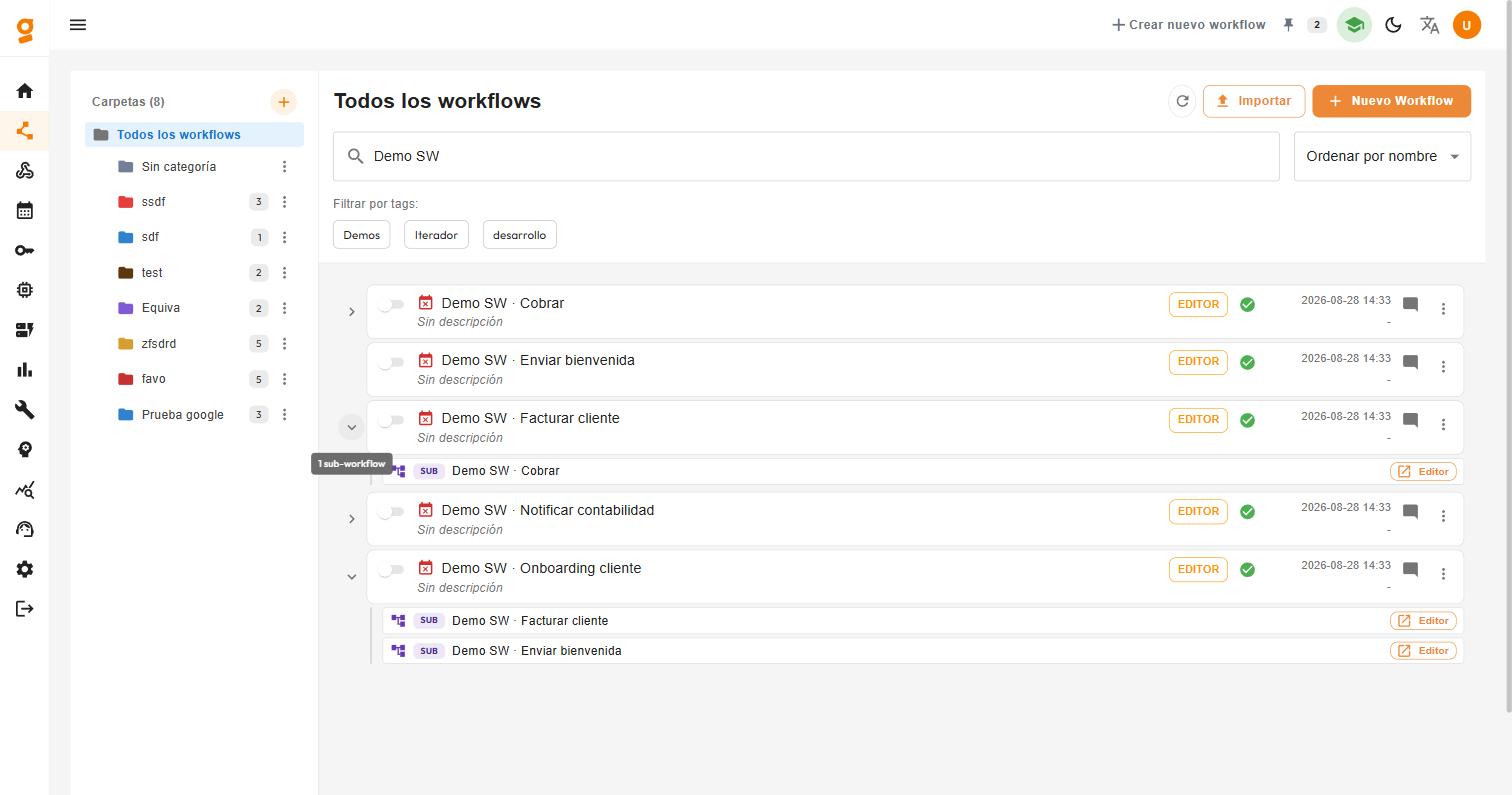
In the workflow list, every workflow that invokes sub-workflows shows a chevron that expands, nested underneath, the sub-workflows it calls. This lets you see the dependency tree without opening the editor. Workflows that call none show no chevron.
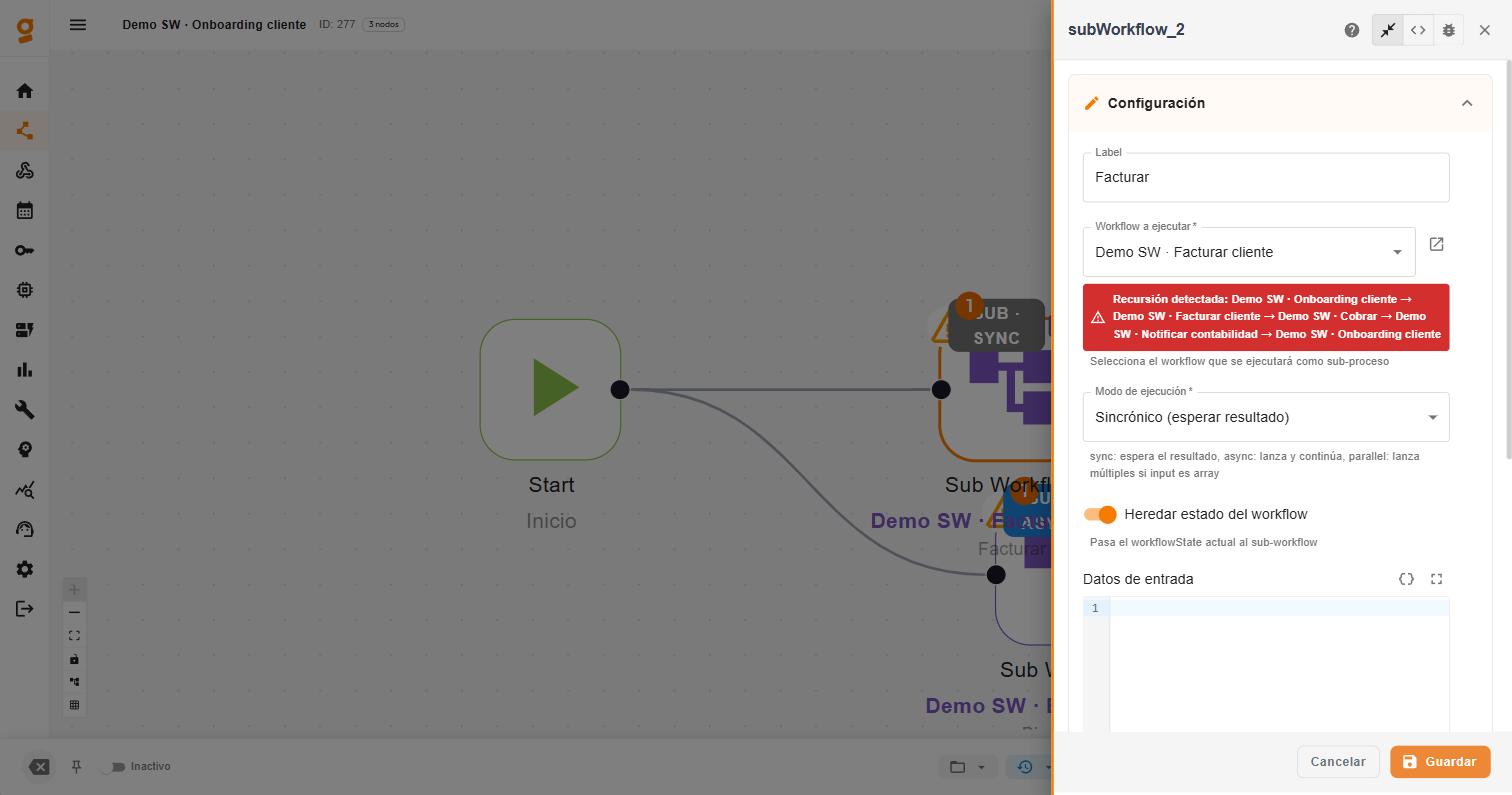
Recursion detection: when you pick the child workflow, the panel warns you if it creates a cycle —direct or indirect, of the form A → B → A— showing the full path. When there is no cycle, it shows the downstream call chain.
Configuration
Section titled “Configuration”Parameters
Section titled “Parameters”| Parameter | Type | Required | Description |
|---|---|---|---|
| workflow_id | workflow_selector | Yes | Selects the workflow to be executed as a sub-process. |
| execution_mode | select | Yes | Execution mode: sync (wait for result), async (fire & forget), parallel (multiple instances). Default: sync. |
| pass_state | boolean | No | Passes the current workflowState to the sub-workflow. Default: true. |
| input_data | code_editor | No | JSON data or variables to send as input to the sub-workflow. Supports dynamic variables. |
| timeout_ms | number | No | Maximum wait time in synchronous mode (0 = no limit). Default: 30000. |
Output
Section titled “Output”Sync mode
Section titled “Sync mode”{ "nextModule": "siguiente_modulo", "data": { "resultado_del_subworkflow": "valor" }}Async mode
Section titled “Async mode”{ "nextModule": "siguiente_modulo", "data": { "child_instance_id": "sub_workflow123_abc123", "workflow_id": 456, "workflow_name": "Proceso de envio", "status": "launched", "message": "Sub-workflow lanzado en modo asincronico" }}Parallel mode
Section titled “Parallel mode”{ "nextModule": "siguiente_modulo", "data": { "mode": "parallel", "total": 3, "success_count": 2, "error_count": 1, "results": [ { "index": 0, "success": true, "instance_id": "sub_wf_abc_0", "data": {} }, { "index": 1, "success": true, "instance_id": "sub_wf_abc_1", "data": {} } ], "errors": [ { "index": 2, "success": false, "instance_id": "sub_wf_abc_2", "error": "mensaje" } ] }}Usage Example
Section titled “Usage Example”Basic case
Section titled “Basic case”{ "label": "Sub Workflow", "workflow_id": "123", "execution_mode": "sync", "pass_state": true, "input_data": "", "timeout_ms": 30000}- In
syncmode, the parent flow waits for the sub-workflow to finish before continuing. - In
asyncmode, the parent flow continues immediately. The sub-workflow runs in the background withsetImmediate. - In
parallelmode, if the input is an array, one sub-workflow instance is launched per element. Concurrency is limited to 5 simultaneous instances by default. - If
pass_stateis true, the parent’s workflowState is inherited by the sub-workflow. - If
input_datais empty, the current node’s input data is used. - Each child instance is registered in the
workflowinstancestable with a reference to the parent. - The state of each child instance is automatically updated (completed/failed).
- If the specified workflow does not exist or does not belong to the same client, an error is returned.
- Supports dynamic variables in
input_data.
Related Nodes
Section titled “Related Nodes”- Sub Workflow best practices and demos - when to use it, when not to, and recommended patterns
- Iterator - alternative for parallel array processing
- Decision - to decide which sub-workflow to execute
- End - final node of the sub-workflow