
Template - Welcome Email
Welcome Email
Section titled “Welcome Email”This template allows you to create a flow that is triggered when a new customer registers and automatically sends them a welcome email, optionally saving the event to an Excel file or database.
Modules Used
Section titled “Modules Used”| Node | Function |
|---|---|
| Webhook | Triggers the flow upon receiving an external request |
| Decision | Checks if the received data contains a valid email or other filters |
| SendMail | Sends an email to the user with personalized content |
| saveToExcel | (optional) Saves the new user’s data to an Excel file |
| End | Ends the flow |
Flow Description
Section titled “Flow Description”- An external request is received from an external system or web form via Webhook.
- The data is validated (e.g., the email is not empty).
- If validation passes, a personalized email is sent.
- Optionally, a row with the data is saved to an Excel file or database.
- The flow ends.
Visual Flow Example
Section titled “Visual Flow Example”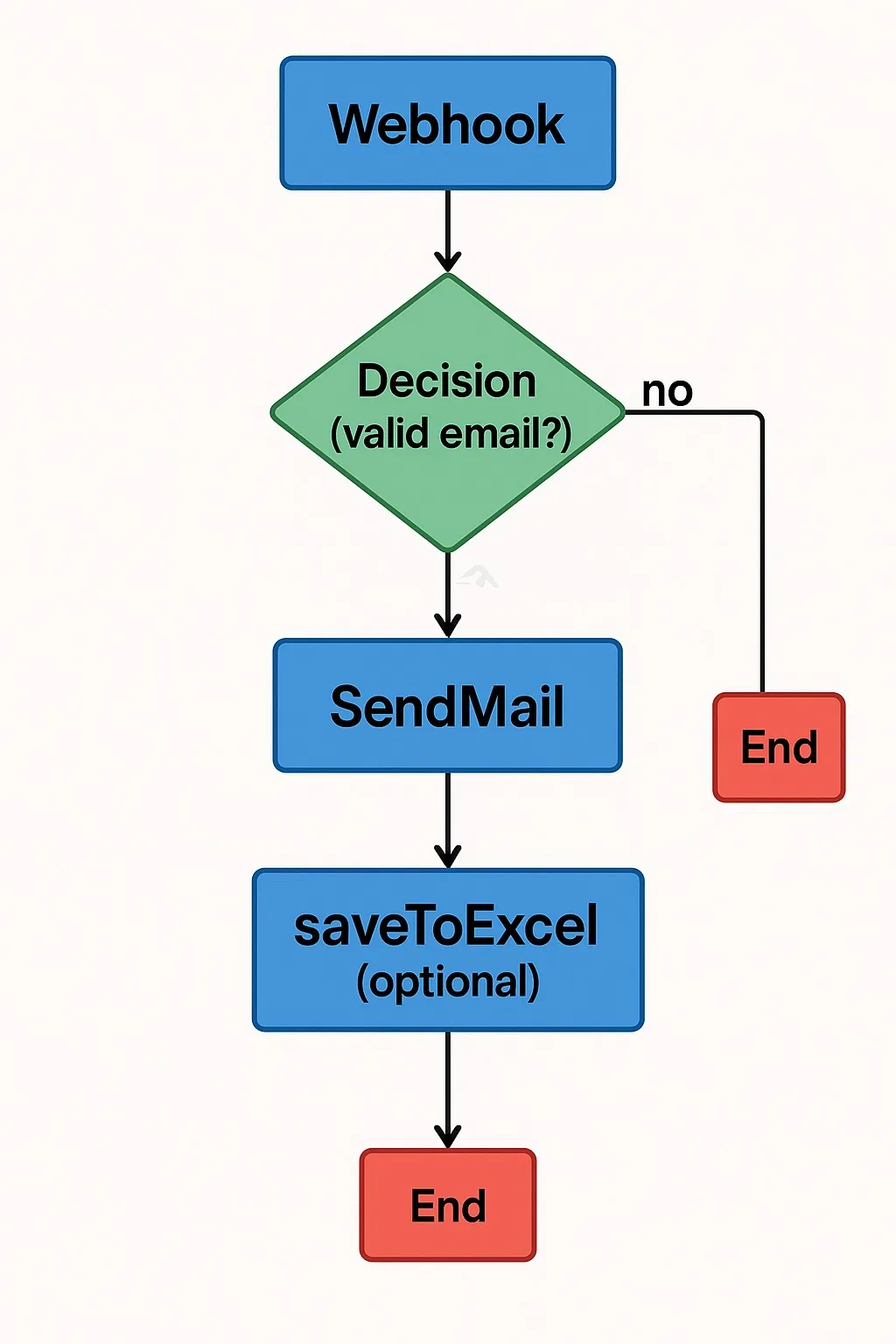
Recommendations
Section titled “Recommendations”- Make sure your email sending credentials are configured before testing.
- Review the email format and personalize the body with dynamic variables (
{{data.name}}, etc.). - Use
saveToExcelonly if you need additional persistence for reports.
Typical Configurations
Section titled “Typical Configurations”Webhook Node
Section titled “Webhook Node”- url_webhook: automatically generated by Floogos.
Decision Node
Section titled “Decision Node”- condition: data.email && data.email.includes(”@“)
SendMail Node
Section titled “SendMail Node”- to:
{{data.email}} - subject: “Welcome to our platform!”
- body: Hi
{{data.name}}, thank you for signing up…
saveToExcel Node (optional)
Section titled “saveToExcel Node (optional)”- filePath: /documents/new_users.xlsx
- dataKey: data
Multi-language Support
Section titled “Multi-language Support”- This template can be easily adapted to the user’s language if
data.languageis available.
End of template